
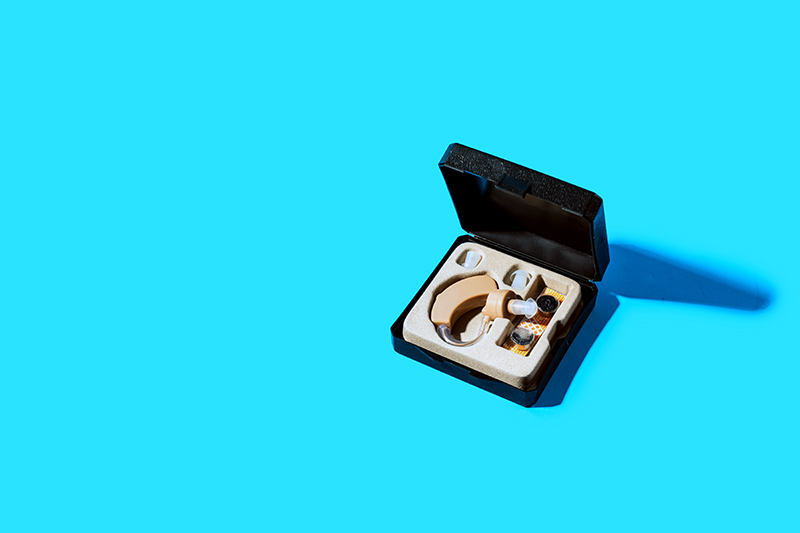
Like other electronics, hearing aid devices occasionally malfunction. Hearing aid issues such as rapid battery depletion, feedback disturbances, or the absence of sound may arise, requiring patient attention and resolution. Self-administered troubleshooting can significantly contribute to device restoration. Identifying potential hearing aid issues is a crucial aspect of the process, and subsequent uncomplicated remedies could be the solution needed.
Hearing Aid Issues: Easy Hearing Aid Troubleshooting Tips
Signal Feedback
Hearing aids operate using three fundamental components:
• A microphone for detecting sound
• An amplifier for increasing the volume
• A receiver for delivering amplified sounds into the ear canal
Recent technological advancements have heightened the level of personalization and adaptability to specific hearing needs. Furthermore, this advanced technology often incorporates integrated mechanisms for automatically adjusting to the user’s listening environment and predefined preferences.
Feedback may occur when some of the amplified sound rebounds from the ear canal back into the microphone. This feedback can be whistling, high-pitched buzzing, squealing, whooshing-like noises, or other audio disturbances. Thankfully, many contemporary devices are intentionally engineered to mitigate this issue.
Guidelines to resolve feedback issues
• Verify the volume level to ensure it is not excessively high.
• Maintain a sufficient distance between any nearby electronics and the hearing aid.
• Ensure that the earmold or dome of your device is correctly inserted or set.
• Replace the wax filter if necessary.
• Address any excessive buildup of cerumen or earwax through professional assistance or safe do-it-yourself methods.
Sound Distortion And Weakness
If the volume output is not optimal, consider these potential causes:
For hearing aids that utilize disposable batteries:
• Ensure that the batteries are expressly compatible with the device
• They are devoid of dust and dirt
• Replaced if aged or exhibiting diminished functionality
For rechargeable hearing aids:
• Adhere to the manufacturer’s guidelines for thorough recharging while verifying the charger’s full charge status.
• Addressing a clogged earmold requires a simple cleaning process.
• Moisture within the device can be effectively remedied through a dehumidifier, a hearing aid dryer, or a methodical wipe-down of the hearing aid followed by complete drying.
• A malfunctioning receiver wire would require professional repair based on the specific type of hearing aid used.
No Sound
If you lack sound from the device, please ensure it has power, the battery is installed correctly, and the microphone is not muted. Here are some additional troubleshooting steps:
• If a battery is already in place, consider replacing it with a fresh one.
• Verify that the hearing aid and charger are fully charged for rechargeable devices.
• In the event of a clogged earmold, carefully clean it following the specific directions for your device.
• If the hearing aid’s receiver wire is damaged, it is advisable to seek professional care, including a comprehensive device check-up.
Rapid Battery Depletion
If your hearing aid’s batteries seem to lose power rapidly, it may be due to prolonged operation. To optimize battery life, we advise turning off the hearing aids when not in use and storing them appropriately overnight.
Another potential factor could be the age of the batteries. For disposable batteries, we recommend reviewing the packaging and keeping a record of their estimated expiration date, if provided, and the date of insertion into the device.
We advise considering professional inspection for rechargeable devices that have been used for an extended period, typically three to four years.
Rechargeable Devices Stop Charging
Rechargeable hearing aids offer unparalleled convenience. Plug in, charge, and go. If you encounter any challenges with quick and seamless charging, please check the following:
• Verify the hearing device is correctly positioned in the charging cradle or dock.
• Confirm the hearing device charger is fully charged or appropriately connected to the power outlet.
Problems With Background Noise
Most contemporary hearing aid devices have directional microphones and other functionalities designed to amplify speech automatically and desired sounds while diminishing extraneous noises. Should you encounter an excessive amount of background noise with your hearing devices, we recommend the following steps:
• Take measures to minimize distracting sounds in your surroundings by adjusting or muting other audio sources, closing doors to reduce background noise, or positioning yourself to keep noise sources behind you.
• Utilize a compatible hearing aid app to access settings that reduce unwanted sounds.
• If you use a Bluetooth accessory that requires a companion app, ensure that the app is operational and establishes a stable internet connection.
• If your device includes a telecoil or T-coil function, consider utilizing it to connect to hearing loops installed in public venues for improved listening within those environments.
Professional Hearing Aid Devices Servicing
If any of the following issues apply to your situation, we encourage you to seek professional assistance:
• A qualified professional should evaluate and repair physical damage, such as a broken casing, cracks, or exposed wires.
• Continual distortion, feedback, or muffled sound may necessitate professional fine-tuning of the settings or additional troubleshooting.
• Frequent battery drain, power fluctuations, or failure to power up may indicate an internal problem requiring professional assessment and repair.
• Accumulated earwax and moisture inside the device can impact performance. While regular at-home cleaning is essential, periodic professional cleaning is also integral for long-term functionality.
• Persistent discomfort or frequent dislodging of the hearing aid may signify the need for professional adjustment to ensure a comfortable, secure fit.
• Significant changes in your hearing ability could necessitate device settings adjustments to align with your condition.
• Regular professional cleaning and assessment, ideally scheduled every six months, is highly recommended if you want to maintain your hearing aids.
Frequently Asked Questions
Feedback in hearing aids occurs when amplified sound escapes from the ear canal and is picked up again by the microphone, resulting in whistling, buzzing, or squealing noises. To resolve this, ensure the volume is not too high, keep electronics away from the device, properly insert the earmold or dome, replace wax filters if needed, and address any earwax buildup through safe cleaning methods or professional help.
Distorted or weak sound output may stem from low battery power, clogged earmolds, moisture in the device, or a faulty receiver wire. For disposable batteries, ensure compatibility and cleanliness; for rechargeables, follow charging guidelines. Cleaning earmolds and drying the device thoroughly can help, but receiver wire issues require professional repair.
If your hearing aid produces no sound, verify the battery is inserted correctly and not depleted, ensure the device is charged if rechargeable, confirm the microphone isn’t muted, and clean any clogged earmolds carefully. Persistent issues like damaged receiver wires require professional evaluation and repair.
Rapid battery drain often occurs from continuous use or aging batteries. To extend battery life, turn off hearing aids when not in use, store them properly overnight, use fresh batteries compatible with your device, and monitor expiration dates. For rechargeable devices used extensively over years, professional assessment may be necessary.
If rechargeable hearing aids fail to charge properly, ensure they are correctly placed in the charging cradle, confirm the charger is fully powered and correctly connected, and inspect the charging cradle and device for any damage. If problems persist, professional service might be needed to repair or replace components.
To minimize background noise, reduce ambient sounds by muting other devices or closing doors, position yourself with noise sources behind you, use compatible hearing aid apps to adjust settings, ensure Bluetooth accessories and their companion apps have stable connections, and utilize telecoil functions in appropriate environments for improved sound clarity.
Professional servicing is recommended for physical damage like broken casings, persistent distortion or feedback, frequent battery issues, internal moisture or earwax problems, discomfort or poor fit, and significant hearing changes requiring device recalibration. Additionally, regular professional cleaning every six months helps maintain optimal device performance.